

Async/Await in JavaScript: Writing Cleaner Asynchronous Code

Introduction
Modern web applications often perform tasks that take time, such as fetching data from an API or reading files. These tasks are called asynchronous operations because they do not complete immediately.
Earlier, JavaScript handled asynchronous code using callbacks and later promises. While promises improved readability, complex code could still become difficult to manage.
To solve this, JavaScript introduced async/await, which provides a cleaner and more readable way to handle asynchronous operations.
In this article, we will understand why async/await was introduced, how async functions work, what the await keyword does, how to handle errors, and how async/await compares with promises.
Main Content
Why async/await was introduced
Before async/await, developers used promises like this:
fetch("https://api.example.com/data")
  .then(response => response.json())
  .then(data => {
    console.log(data);
  })
  .catch(error => {
    console.log(error);
  });
While this works, chaining multiple .then() calls can make code harder to read, especially in complex applications.
Async/await was introduced to make asynchronous code look and behave more like synchronous code, improving readability and maintainability.
How async functions work
An async function is a function declared with the async keyword. It always returns a promise.
Example:
async function greet() {
  return "Hello World";
}

greet().then(result => console.log(result));
Output:
Hello World
Even though we return a simple string, JavaScript automatically wraps it in a promise.
The await keyword
The await keyword is used inside an async function to pause execution until a promise is resolved.
Example:
async function fetchData() {
  let response = await fetch("https://api.github.com");
  let data = await response.json();

  console.log(data);
}

fetchData();
Here:
await fetch(...)waits for the responseawait response.json()waits for the data conversion
This makes the code look simple and step-by-step.
Comparison with promises
Promise-based code:
fetch("https://api.github.com")
  .then(res => res.json())
  .then(data => console.log(data))
  .catch(err => console.log(err));
Async/await version:
async function getData() {
  try {
    let res = await fetch("https://api.github.com");
    let data = await res.json();
    console.log(data);
  } catch (err) {
    console.log(err);
  }
}

getData();
The async/await version is easier to read because it looks like normal sequential code.
Error handling with async code
When working with async/await, errors are handled using try...catch.
Example:
async function loadData() {
  try {
    let res = await fetch("https://invalid-url");
    let data = await res.json();
    console.log(data);
  } catch (error) {
    console.log("Error occurred:", error);
  }
}

loadData();
If an error occurs during the request, it will be caught in the catch block.
Key points to remember
asyncmakes a function return a promiseawaitpauses execution until the promise resolvesawaitcan only be used inside async functionstry...catchis used for error handlingAsync/await makes code more readable than promise chaining
Simple Example
function delay() {
  return new Promise(resolve => {
    setTimeout(() => {
      resolve("Done");
    }, 2000);
  });
}

async function run() {
  console.log("Start");

  let result = await delay();
  console.log(result);

  console.log("End");
}

run();
Output:
Start
Done
End
This shows how async/await waits for the operation to complete before moving forward.
Visual Explanation
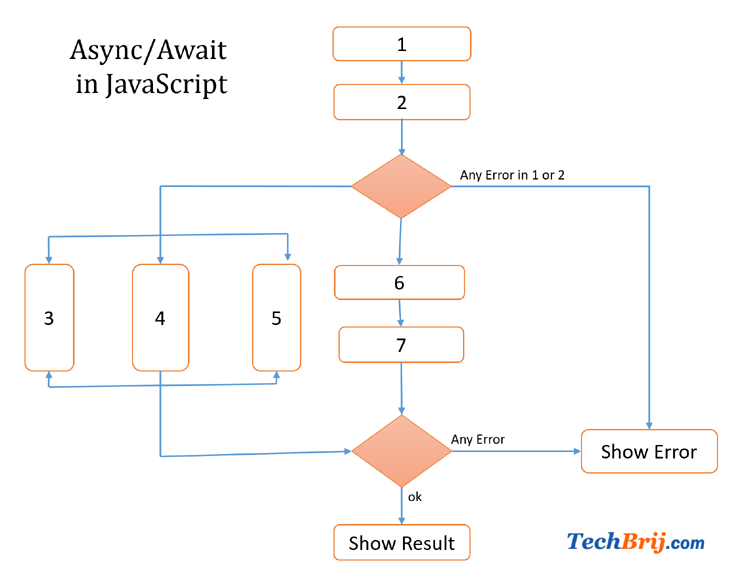
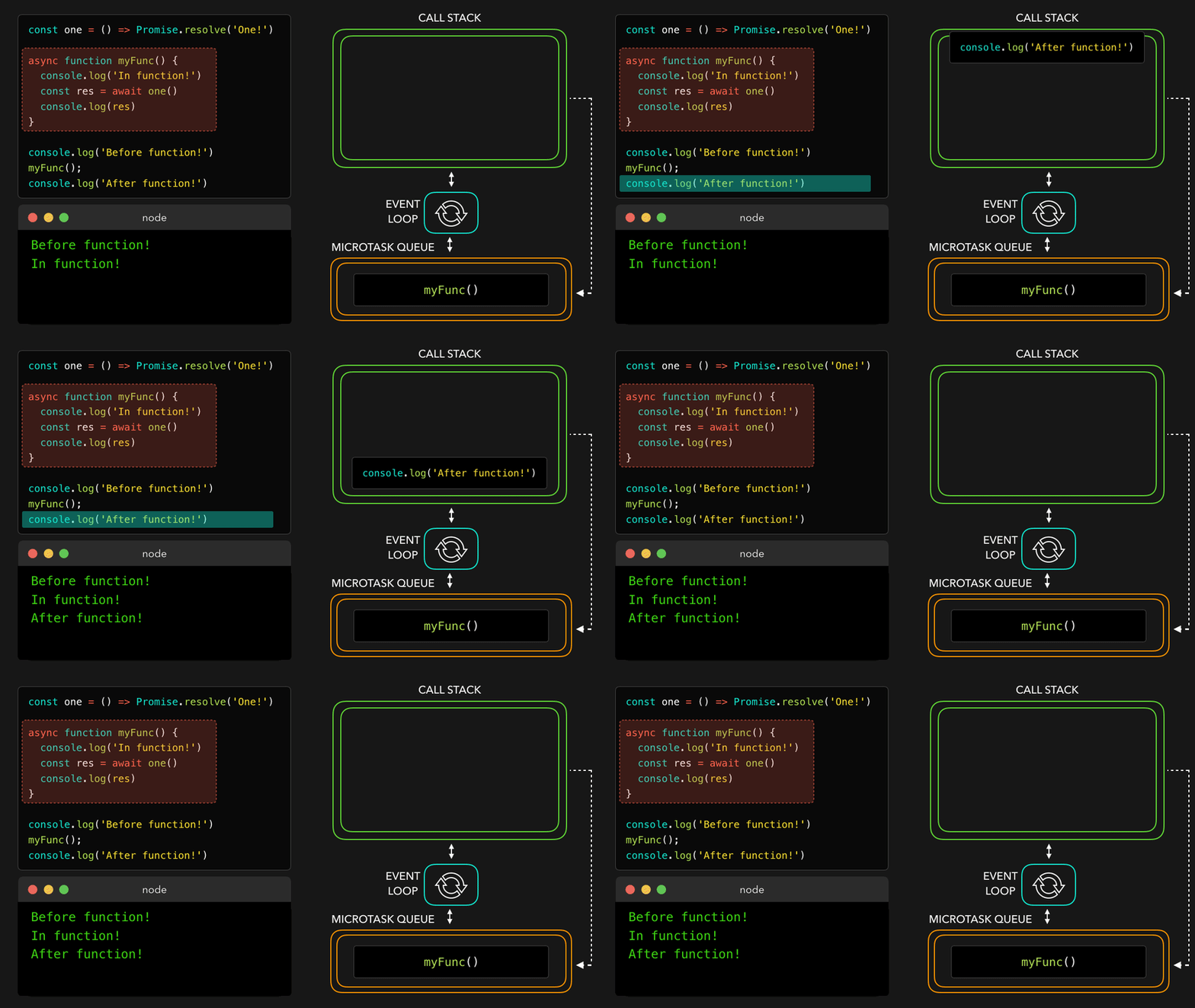
These diagrams show how async/await simplifies asynchronous flow compared to promise chaining.
Conclusion
Async/await is a modern feature in JavaScript that makes asynchronous code easier to read and write. It builds on top of promises and allows developers to write code that looks more like normal step-by-step execution.
We learned how async functions work, how the await keyword pauses execution, how to handle errors using try/catch, and how async/await compares with traditional promise-based code.
For beginners, practicing simple examples such as API calls or delayed functions is the best way to understand async/await. As you continue learning, this concept will become an essential part of writing clean and efficient JavaScript code.


