

Understanding Object-Oriented Programming in JavaScript.

Introduction
As programs grow larger, organizing code becomes very important. One approach that helps developers structure and reuse code effectively is Object-Oriented Programming (OOP).
Object-Oriented Programming is a programming style where software is designed using objects. These objects represent real-world entities and contain both data and behavior.
Think about building cars in a factory. Engineers first design a blueprint of a car. Using that blueprint, many cars can be produced. In programming, the blueprint is called a class, and the cars produced from that blueprint are called objects.
In this article, we will understand what OOP means in JavaScript, how classes work, how objects are created from classes, how constructors and methods work, and the basic idea of encapsulation.
Main Content
What is Object-Oriented Programming
Object-Oriented Programming is a way of writing programs using objects that represent real-world things.
Each object usually contains:
Properties which store data
Methods which define actions
For example, a car object may have:
Properties: color, brand, speed
Methods: start(), stop(), accelerate()
This approach helps organize code and makes it easier to reuse.
Real-World Analogy: Blueprint and Objects
To understand OOP easily, imagine a car blueprint.
The blueprint defines the structure of a car. Using that blueprint, many cars can be created.
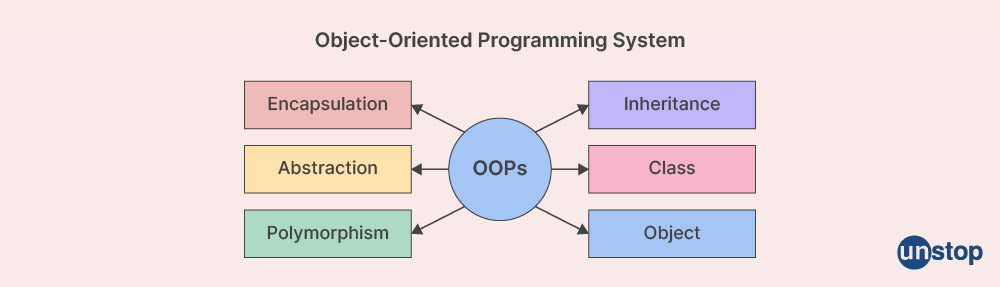

In JavaScript:
Class acts as the blueprint
Objects are the actual instances created from that blueprint
What is a Class in JavaScript
A class is a template used to create objects. It defines the structure and behavior that the objects will have.
Example:
class Person {
  constructor(name, age) {
    this.name = name;
    this.age = age;
  }
}
Here, Person is a class that describes a person with a name and age.
Creating Objects Using Classes
Once a class is defined, we can create objects from it using the new keyword.
Example:
const person1 = new Person("Alice", 25);
const person2 = new Person("Rahul", 30);

console.log(person1.name);
console.log(person2.age);
Each object has its own data but follows the structure defined by the class.
Constructor Method
The constructor is a special method that runs automatically when a new object is created.
Its purpose is to initialize the object's properties.
Example:
class Car {
  constructor(brand, color) {
    this.brand = brand;
    this.color = color;
  }
}

const car1 = new Car("Toyota", "Red");
console.log(car1.brand);
When new Car() is called, the constructor assigns values to the object's properties.
Methods Inside a Class
Classes can also contain methods. Methods define actions that objects can perform.
Example:
class Person {
  constructor(name, age) {
    this.name = name;
    this.age = age;
  }

  greet() {
    console.log("Hello, my name is " + this.name);
  }
}

const user = new Person("Anita", 22);
user.greet();
The greet() method belongs to the class and can be used by any object created from that class.
Basic Idea of Encapsulation
Encapsulation means keeping related data and functions together in a single unit.
In classes, properties and methods are grouped together, which helps organize code and protect data.
Example:
class BankAccount {
  constructor(owner, balance) {
    this.owner = owner;
    this.balance = balance;
  }

  deposit(amount) {
    this.balance += amount;
  }

  showBalance() {
    console.log(this.balance);
  }
}
Here, the account data and operations are combined within the same class.
Encapsulation makes programs easier to manage and understand.
Practical Example
class Student {
  constructor(name, age) {
    this.name = name;
    this.age = age;
  }

  displayInfo() {
    console.log("Student: " + this.name + ", Age: " + this.age);
  }
}

const student1 = new Student("Ravi", 20);
const student2 = new Student("Meera", 22);

student1.displayInfo();
student2.displayInfo();
Both objects share the same structure and method defined in the Student class.
Practice Assignment
Try the following exercise.
Create a class called
Student.Add properties
nameandage.Add a method that prints student details.
Create multiple student objects.
Example solution:
class Student {
  constructor(name, age) {
    this.name = name;
    this.age = age;
  }

  printDetails() {
    console.log("Name: " + this.name + ", Age: " + this.age);
  }
}

const s1 = new Student("Arjun", 21);
const s2 = new Student("Neha", 20);

s1.printDetails();
s2.printDetails();
Conclusion
Object-Oriented Programming helps organize code by modeling real-world entities using objects. In JavaScript, classes act as blueprints that define the structure and behavior of objects.
We learned how to create classes, use constructors to initialize data, add methods to define behavior, and create multiple objects from a single class. We also discussed the basic idea of encapsulation, which keeps related data and operations together.
Understanding these concepts helps developers write cleaner and more reusable code. As you continue learning JavaScript, object-oriented programming will become an important tool for building larger and more structured applications.


